
Skins
All Limited-Time Skins In Current Stumble Guys Season
Key takeaways
- Event cosmetics expire on their own timer, not on the season reset.
- Most limited skins come from a streak of tasks rather than one big win.
- Screenshot the requirement list — the in-game summary is easy to misread.
Limited-time skins in the current Stumble Guys season all come from timed sources inside the game: events, rotating challenges and a shop section that only stocks certain items while the season is live. This guide shows you how to list what is available, read the expiry timers, plan your play around them and make sure nothing goes unclaimed.
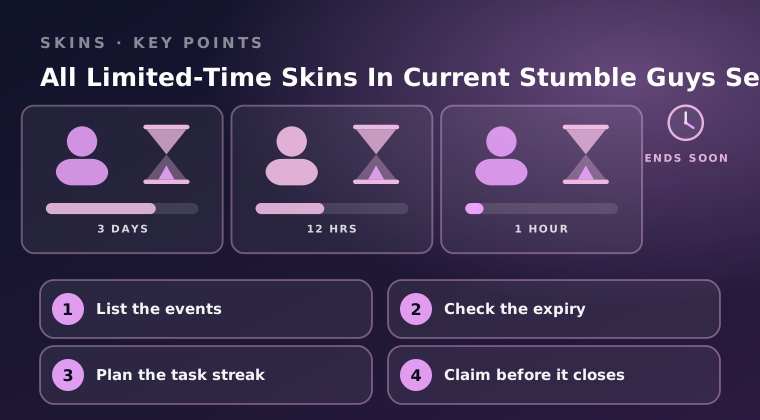
List the events
Start by opening the event tab and reading every entry in it. Each event states its requirement and its reward, and the two vary a lot: some ask you to finish a number of rounds, some want a good placement on a rotating course list, and some simply want you to play on particular days.
Write the list down. Knowing that three events are running at once is very different from knowing that one of them ends in two days, and the written list is what lets you order them by urgency rather than by whatever you noticed first.
- Read every event entry, including the small ones with minor rewards.
- Note which events are tied to a course rotation, because those only appear on certain days.
- Check whether an event pays a skin directly or pays tokens you must then spend.
- Include the login calendar in your list — it is timed in the same way.
Check the expiry
Every timed reward has a counter somewhere on its page, and that counter is the single most useful piece of information you have. Sort your list by time remaining and you instantly know what to play first.
Pay attention to two different clocks. The event clock decides how long you have to meet the requirement. The shop clock decides how long you have to spend any tokens the event paid out. Missing the second one is the more frustrating of the two, because you already did the work.
- Sort events by time remaining and play the shortest ones first.
- Check the shop section's own timer, not just the event timer.
- Assume short events will not return — plan as if this is your only chance.
- Re-check timers after a few days; in-game schedules do shift.
Plan the task streak
Some cosmetics sit behind chains rather than single events: clear a task today, another tomorrow, and collect the reward at the end of the chain. These are the rewards players lose most often, because a chain started late cannot be finished before the window closes.
The fix is to start chains as early as possible and to check the requirement before your first round each day. As with daily tasks, look for overlap — pick courses where the chain objective and the task objective both complete in the same run, and you will move through the chain far faster.
- Start multi-day chains on the day they appear, not on the last day.
- Check the day's requirement before you queue, so you never waste a run.
- Stack chain objectives with daily tasks wherever the course list allows.
- If a chain looks impossible in the time left, say so early and spend that time on a shorter event.
Claim before it closes
Completing a requirement and collecting a reward are two separate steps, and only the second one puts the skin in your collection. Event, challenge and login rewards all wait behind a claim button, and once the window closes an unclaimed reward is simply gone.
Build the habit of a closing check. At the end of every session, open the event tab, the challenge list and the shop, and clear anything marked ready. In the final day of a season, run that check twice — once before your last session and once after.
- Claim rewards the moment they are ready rather than batching them.
- Spend leftover event currency before the limited shop section closes.
- Run a final claim sweep on the last day of the season.
- Never rely on a reward being granted automatically — check that it is in your collection.
Final word
Limited-time cosmetics reward organisation more than skill. List every event, sort by the timer, start task chains early, stack objectives where you can, and claim everything the moment it turns ready. Miss the timer and the skin is gone; follow it and you will end the season with the full set you worked for.
Keep reading
Stumble Guys New Season: All Skins & Rewards Overview
Every skin and reward in the current Stumble Guys season, what the track unlocks, and which rewards are worth planning your playtime around.
How to Unlock Free Skins in Stumble Guys Legally
Free Stumble Guys skins come from events, season tracks and in-game rewards. Here are the legitimate routes and how much effort each one takes.
Stumble Guys Battle Pass – Is It Worth Buying?
What the Stumble Guys Battle Pass actually gives you, how long the track takes to finish, and whether the rewards justify the price for you.