
Fixes
Stumble Guys Login Failed – Troubleshooting Guide
Key takeaways
- Check the server status page before changing anything on your device.
- Most login loops come from a stale cached session, not a wrong password.
- Never enter your account details on a page that is not the official one.
A Stumble Guys login failure is usually one of three things: an outage on the game servers, a network that blocks the connection, or a stale sign-in session on your device. Check server status first, because no amount of local troubleshooting will help while the service is down.
Check server status
Before you change anything on your phone, find out whether the problem is even yours. Maintenance windows and regional outages produce login errors for everyone, and the only real fix is waiting.
- Open the official Stumble Guys site or the game's official social accounts and look for a maintenance or outage notice.
- Check the official community channels for other players reporting login errors in the last hour.
- If the service is down, wait and retry later rather than repeatedly forcing the app closed.
- If the status page looks normal, continue with the network checks below.
Verify the network
Login requests need a stable route to the game servers. Captive portals on public Wi-Fi, restrictive school or office networks, and aggressive data savers all interrupt the handshake and produce an error that looks like a broken account.
- Switch between Wi-Fi and mobile data and try logging in on each.
- Turn Airplane mode on for ten seconds, then off again to force a fresh connection.
- Disable any VPN or network ad blocker, since those services often block game traffic, then retry.
- On Android, confirm Stumble Guys is allowed to use background data in Settings > Apps > Stumble Guys > Mobile data & Wi-Fi.
- On iOS, check Settings > Cellular and make sure the toggle next to Stumble Guys is enabled.
- If your router has not restarted in weeks, power-cycle it once and test again.
Clear cached session
An expired or corrupted sign-in token is a very common cause of repeated login errors. Removing the app's stored data forces a clean authentication, and your progress stays safe because it is tied to your account on the game servers rather than to the device.
- On Android, open Settings > Apps > Stumble Guys > Storage and tap Clear cache, then restart the game and sign in again.
- If the error persists on Android, use Clear data as a second step — you will need your sign-in credentials afterward.
- On iOS, delete the app, restart the device, then reinstall Stumble Guys from the App Store and sign in.
- Make sure the date and time on your device are set to update automatically, since a wrong clock invalidates sign-in tokens.
Re-link the account
If you normally sign in through a linked platform account, the link itself may be the problem — a password change, a removed permission, or an unlinked profile will all block access. Re-linking restores the connection between that account and your game profile.
- Open the game's sign-in screen and look at which platform account it is trying to use.
- Log out of that account in the relevant app or browser, then log back in to confirm the credentials still work.
- Return to Stumble Guys and repeat the link step, granting every permission it asks for.
- Confirm your profile loads with the expected name and progress before you queue for a round.
Final word
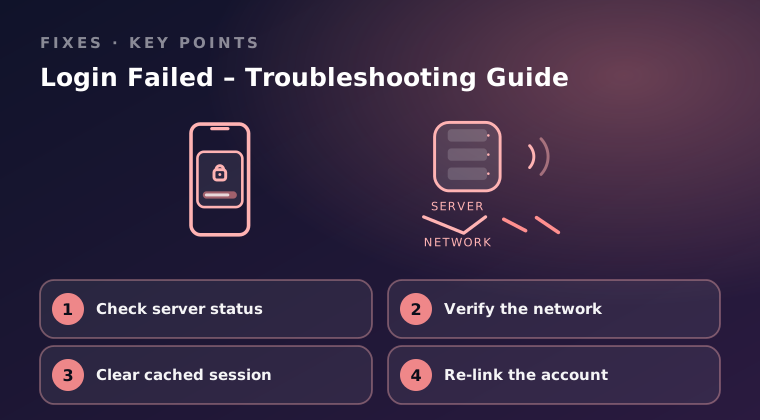
Go in order: confirm the servers are up, rule out your network, clear the cached session, then re-link the account. Never type your account details into a page that is not the official one, and only install or update Stumble Guys from Google Play or the App Store — install files from anywhere else can carry malware and can cost you your account. If you have worked through all four steps and still cannot sign in, contact official support through Settings > Help & Support in the game, or through the support page on the official site, and include your player ID, device model, OS version, and the exact error text.
Keep reading
Fix Stumble Guys Crashing on Android & iOS
Stumble Guys keeps closing on your phone? Work through these Android and iOS fixes, from storage and cache checks to graphics settings.

How to Fix High Lag in Stumble Guys Mobile
High ping and stutter ruin race rounds. Follow these steps to cut lag in Stumble Guys on mobile: network, background apps and in-game settings.
Stumble Guys Not Updating from Google Play Store
Stumble Guys will not update from Google Play? Check storage, cache and account issues first, then the fixes that force the install through.