
Fixes
How to Fix High Lag in Stumble Guys Mobile
Key takeaways
- Wi-Fi stability matters more than raw speed; 5 GHz beats a crowded 2.4 GHz band.
- Background downloads are the usual hidden cause of sudden spikes.
- Frame rate settings help on older phones more than network tweaks do.
High lag in Stumble Guys on mobile is almost always a bandwidth, contention, or rendering problem rather than a broken game. Test your connection first, then work through background apps, Wi-Fi band, and frame rate — in that order, because the free fixes come first.
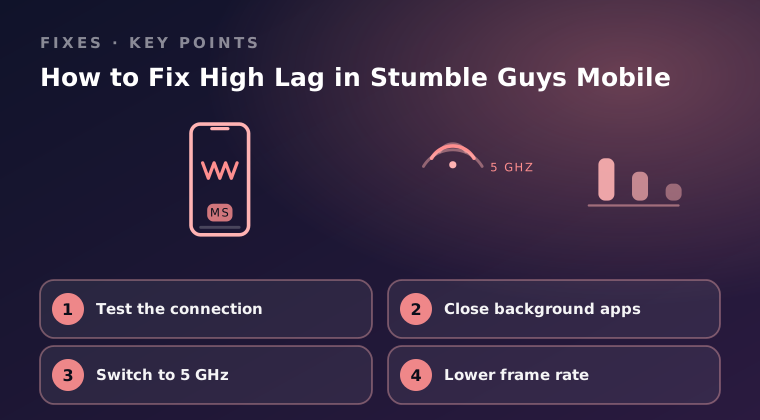
Test the connection
Every round of Stumble Guys is played on the game servers, so a weak or unstable connection shows up instantly as rubber-banding and delayed input. Establish a baseline before you change any settings.
- Run a speed test on your phone and note the download speed, upload speed, and ping.
- Try loading a video while standing in the same spot; if it buffers, the network is the problem.
- Move closer to the router, or step into a different room, and re-run the test to see how much the signal matters.
- If mobile data is faster and steadier than your Wi-Fi, play on mobile data for the session.
As a rough guide, a ping under 50 ms feels responsive, 50–100 ms is playable, and anything above 150 ms will feel bad during qualifying rounds. Packet loss matters more than raw speed — even 2% loss causes visible stutter.
Close background apps
Apps running in the background compete for CPU time, memory, and network bandwidth. A cloud photo backup or a large download in progress can easily eat the headroom Stumble Guys needs to keep up with the server.
- Pause any downloads, updates, and cloud sync jobs before you queue.
- On Android, open the recent apps view and swipe away everything you are not using.
- On iOS, swipe up from the bottom (or double-press Home) and flick away unused app cards.
- Restart the device once if it has been awake for weeks; a fresh boot clears memory pressure.
- Keep at least 2 GB of free storage so the game can write temporary files without stalling.
Switch to 5 GHz
Most home routers broadcast two networks. The 2.4 GHz band reaches farther but is crowded with neighbours' Wi-Fi, Bluetooth, and microwave interference, while 5 GHz is faster and cleaner over short distances.
- Check your router's label or admin page for the two network names, often ending in 2G and 5G.
- On Android, join the 5 GHz network from Settings > Network & internet > Wi-Fi.
- On iOS, join it from Settings > Wi-Fi and tap the blue info icon to confirm the band.
- Stay within roughly one room of the router, because 5 GHz does not travel through walls as well.
- If 5 GHz is unavailable, try moving the router off the floor and away from metal objects to improve 2.4 GHz stability.
| Band | Range | Interference | Best for |
|---|---|---|---|
| 2.4 GHz | Farther, through walls | High, very crowded | Distant rooms |
| 5 GHz | Shorter, weaker through walls | Low | Same room as router |
Lower frame rate
Rendering is the other half of the equation. A phone that cannot sustain its target frame rate produces stutter that feels identical to network lag, and the heat from pushing too hard makes it worse minute by minute.
- Open Stumble Guys Settings and reduce the graphics quality one step.
- Disable high frame rate mode, which is the single biggest contributor to heat and battery drain.
- Turn off battery saver and low power mode, since both throttle the CPU and cause frame drops.
- Play unplugged when possible and remove a thick case, so the device does not thermally throttle mid-round.
Final word
Start with a connection test, clear out background apps, move to a clean 5 GHz network, and finally dial back the frame rate. Most players see the biggest single improvement from the Wi-Fi band switch combined with disabling high frame rate mode. Stay on official builds from Google Play or the App Store, and if lag persists on a strong connection with low settings, contact official support through Settings > Help & Support in the game with your device model, OS version, region, and typical ping so they can check your route to the servers.
Keep reading
Fix Stumble Guys Crashing on Android & iOS
Stumble Guys keeps closing on your phone? Work through these Android and iOS fixes, from storage and cache checks to graphics settings.
Stumble Guys Login Failed – Troubleshooting Guide
Stumble Guys login failed errors usually come from accounts, network or cached data. Here is the troubleshooting order that solves them.
Stumble Guys Not Updating from Google Play Store
Stumble Guys will not update from Google Play? Check storage, cache and account issues first, then the fixes that force the install through.